How Coaches and Consultants Use AI to Create Content and Brand Identity
Trust, clarity, and authority are crucial to coaches and consultants. The way of communicating and presenting ideas visually is significant in attracting and retaining customers, regardless of whether it is business coaching, life coaching, fitness training, or professional consulting services. Clarity in the scripts assists in delivering value, whereas solid branding and credibility are strengthened.
CapCut is an AI-based creative space that guides coaches and consultants on the content and branding process. Given the highly developed AI-based tools that CapCut Desktop provides, it is possible to create structured scripts to be applied to lessons, sessions, and promotional materials, and create professional logos that can reflect the professionalism of the specified individual. These artificial intelligence-based processes assist in the minimization of time on preparation and consistency between platforms.
Create Structured Coaching Content with CapCut AI Writer (Desktop)
Most commonly, coaches and consultants produce content in the form of educational videos, scripts of webinars, and onboarding materials, and promotional messages. It is crucial to organize this material in a manner that clients can understand and engage with. The AI writer of CapCut can assist in converting ideas into scripts that can be used to facilitate communication.
The CapCut Desktop AI writer is useful to coaches and consultants:
- Write coaching scripts and learning videos.
- Arrange concepts into concise and coherent sub-units.
- Tone varies between the audience, from novices to experts.
Step 1: Brainstorm with AI.
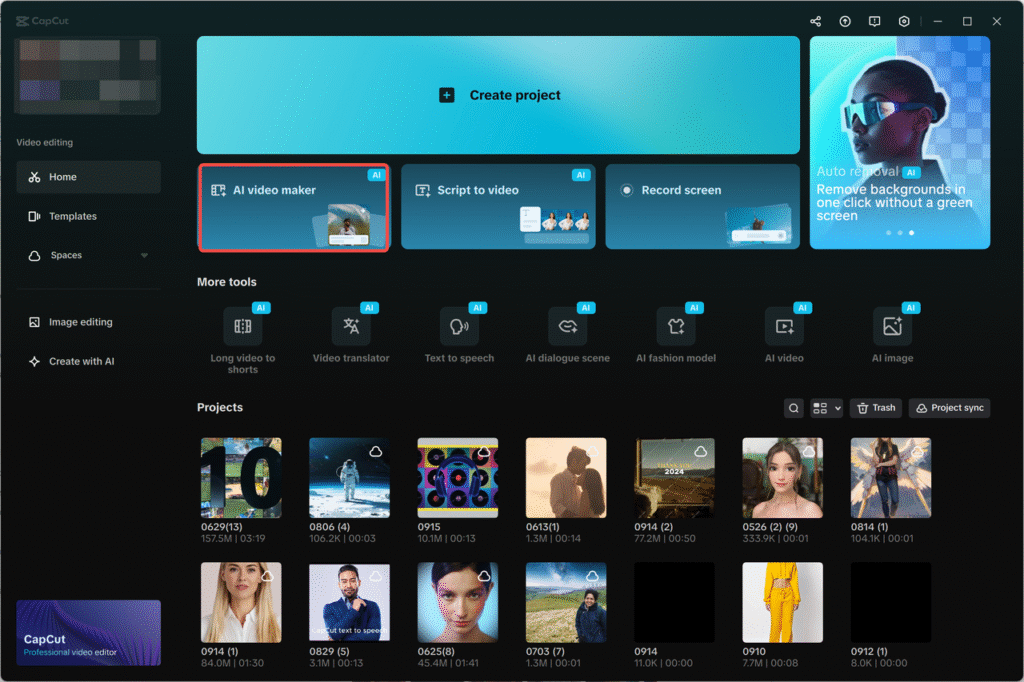
Open CapCut and then in the main interface, select the “AI video maker” option. This is the workspace where the creation of content with the assistance of AI starts.
Within the AI video maker, choose the option of “Brainstorm with AI” to generate coaching or consulting content ideas.
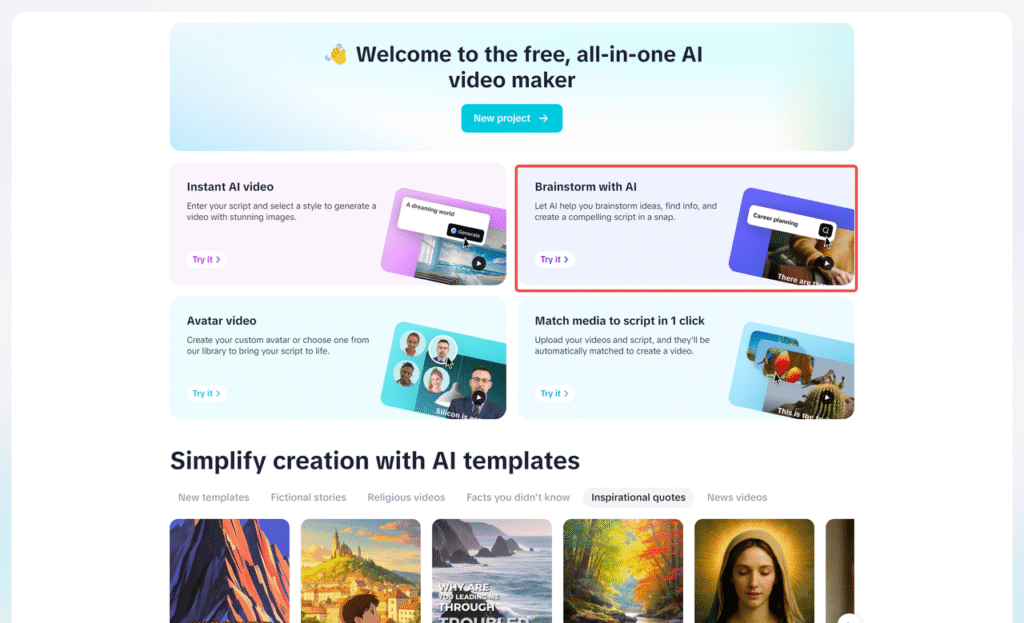
Write something about your area of expertise, like a coaching model, consulting plan, or client dilemma.
The AI comes up with a list of the relevant topics according to whatever you enter. On the right-hand side, you are able to pick (pin icon) the most appropriate ideas, or you can explore (sparkle icon) to find other suggestions.
After deciding on the topics, they automatically translate to the structured talking points. Click on “Generate” script to continue.
Step 2: Write and personalize your coaching script
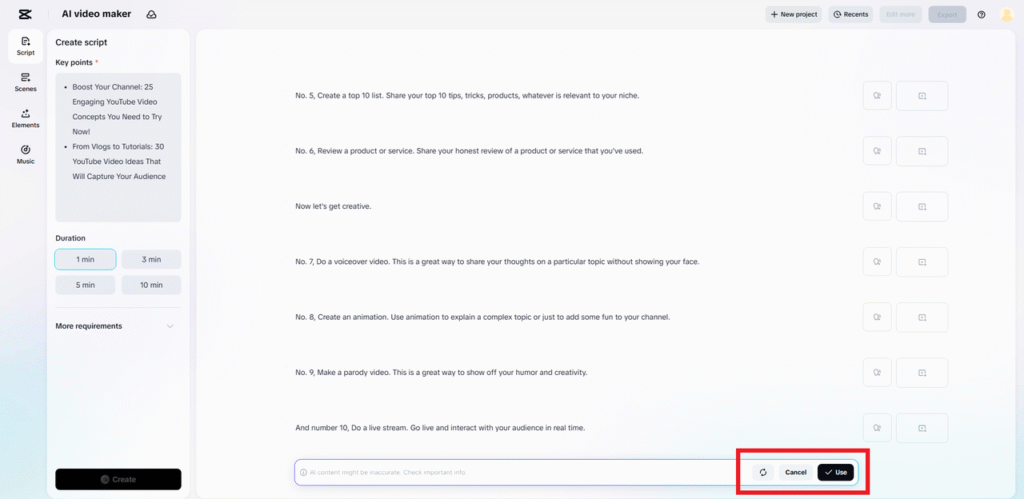
Once you have chosen a topic, the AI will create an entire script of your coaching or consulting content.
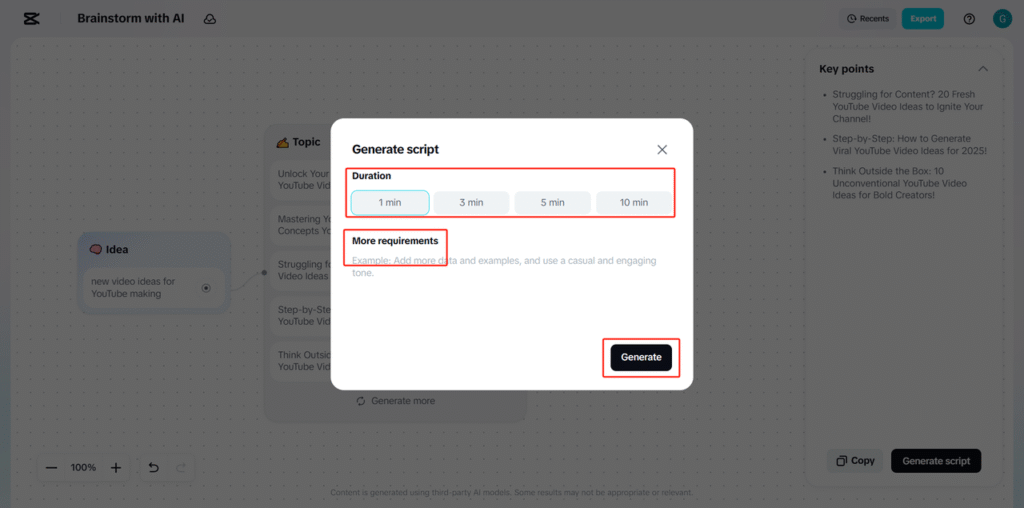
A customization window will be displayed where you can select the duration according to the session length or content format.
Add instructions to the text, like using a professional tone, making the explanation straightforward or concentrating on actionable advice in the More requirements field.
Click on the button “Generate” to generate the script.
Should the script be satisfactory, then press Use. Should revisions be required, then choose: Create again or cancel.
Build a Professional Brand with CapCut AI Logo Generator (Desktop)
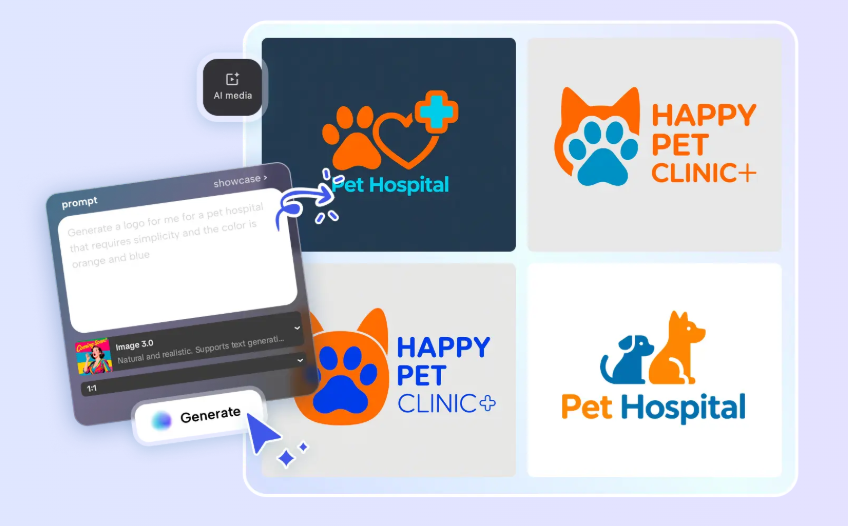
Coaches and consultants must have a brand identity. The presence of a professional logo helps to gain authority and make the services memorable in terms of their presence on websites, presentations, social media, and course materials. The AI logo generator of CapCut enables professionals to create logos effectively without the need for design skills.
This tool helps coaches and consultants by:
- Designing individual brand logos or consulting company logos.
- Experimenting in visual styles of expertise.
- Ensuring consistency on platforms and materials.
Step 1: Enter text prompt
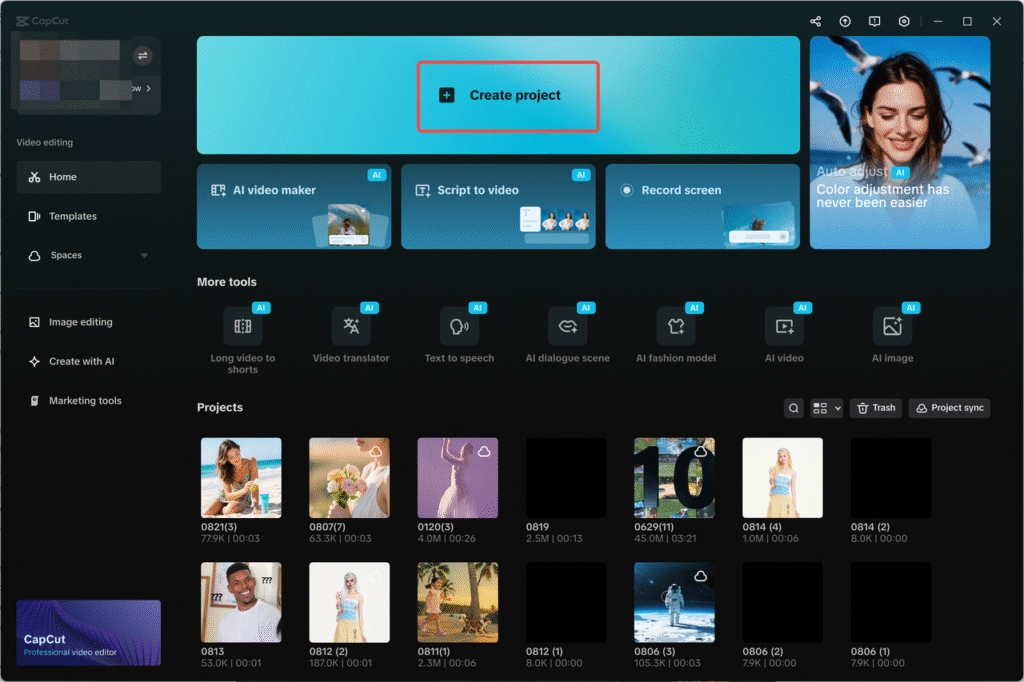
Make a new project in CapCut and go to “AI media” > “AI image.
Write a detailed text prompting what you want the logo to be. This can be your niche, tone (e.g., professional, approachable), and color preferences.
To be more precise, make a reference picture that can portray the visual direction you want.
Step 2: Generate an AI logo
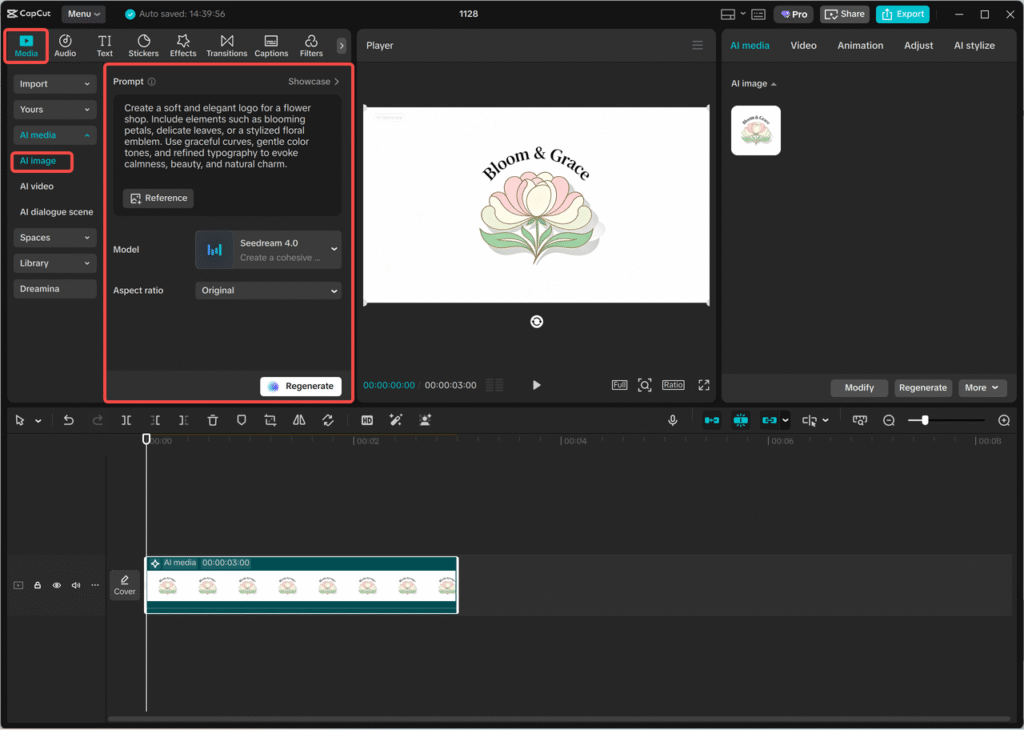
You can select the type of generation models that fit your style: Nano Banana Pro, Seedream 4.0, Seedream 3.0, Seedream 3.1, or Flux 1.1 Pro.
Click “Generate.” CapCut automatically generates the logo variations depending on your prompt and model chosen.
Step 3: Edit a logo
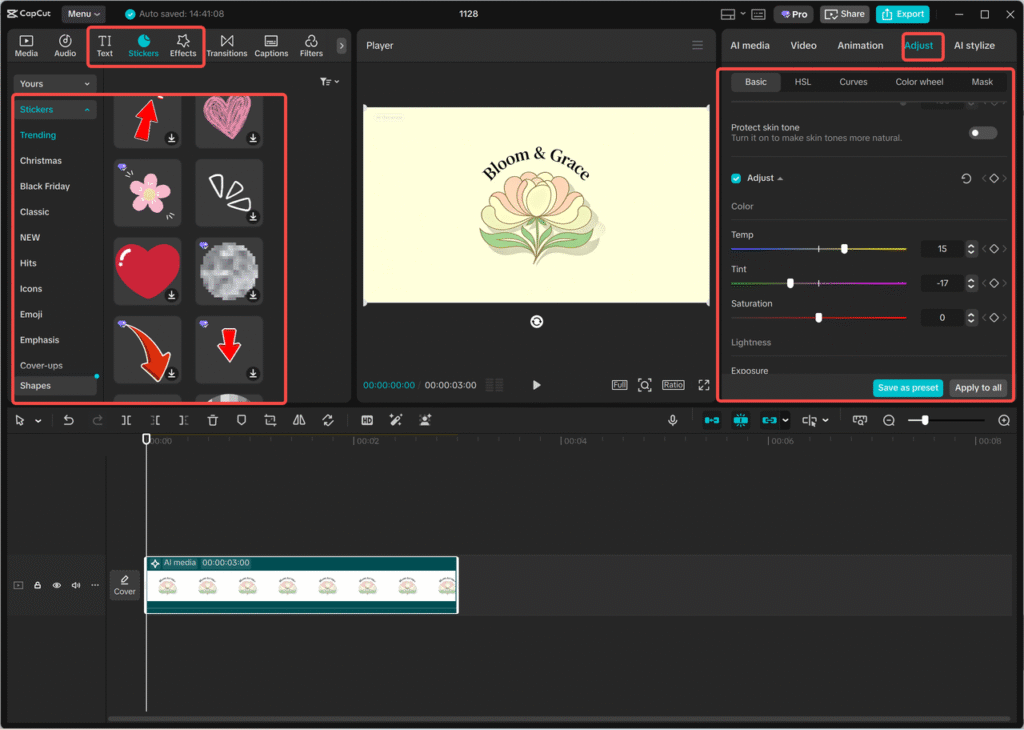
Once it is generated, edit the logo with the editing tools of CapCut.
Use your name or brand name, change colors and font, add icons, or add visual effects so that the logo will match your professional image.
These customization features can be used to make sure the logo is credible and expert.
Step 4: Export a logo
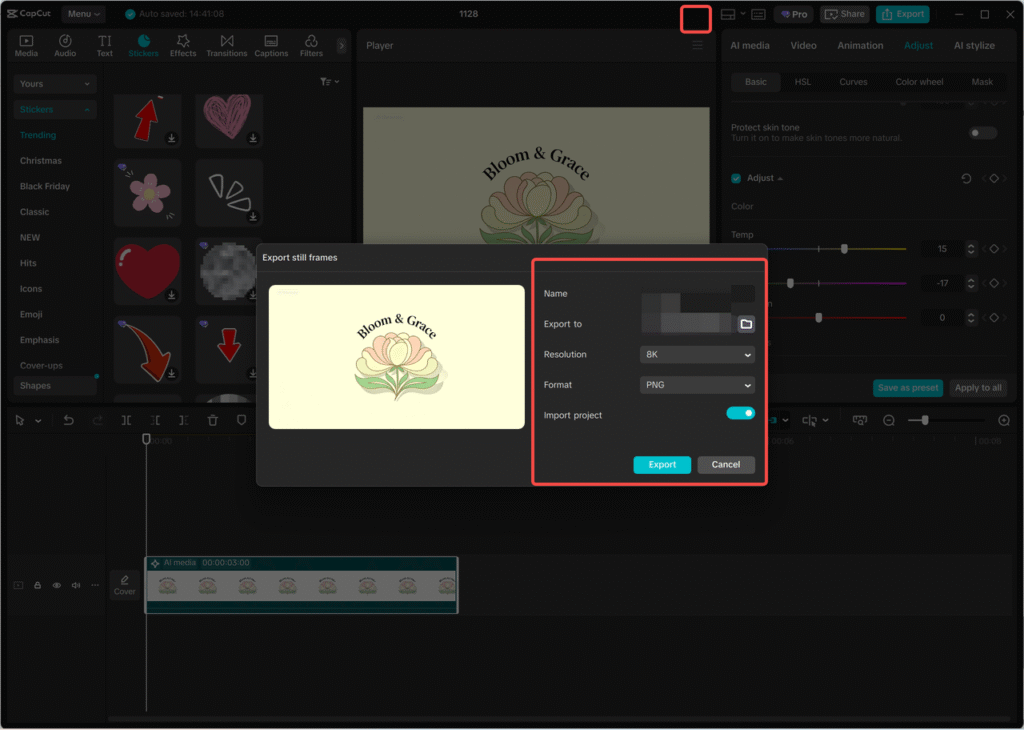
Once the logo is finished, choose the three lines on top of the editing panel, and then choose export still frames.
Select your desirable resolution (up to 8K), the format, and press the Export button to save the logo to use in other platforms.
Make Quick Visual Updates with CapCut Online Photo Editor
The coaches and consultants may regularly be asked to update visuals, perhaps the presentation slides, promote images, or create simple graphics to announce something. The CapCut also provides an online photo editor that is based on a browser to facilitate these requirements.
As it does not need downloading, the online photo editor enables professionals to edit images on any device and remain open to their working process.
Aligning Expertise, Content, and Branding
With the alignment of content and branding, coaches and consultants have a clear and professional image. The structured scripts are useful in providing insights, and it is through consistent branding that trust and recognition are built.
Using CapCut Desktop, professionals can:
- Develop scripts to be used during coaching and education.
- Logos to show their experience and principles.
- Be consistent in the digital platforms.
- Such congruence makes the clients feel safe with the services provided.
Supporting Different Coaching and Consulting Formats
A lot of coaches and advisors provide services in various forms, such as individual sessions, group training, online classes, and webinars. Every format might need customized content with images.
The AI tools of CapCut can enable this flexibility by:
- The scripts can be adapted to other formats.
- Being consistent in branding in materials.
- Facilitating rapid visual response with web tools.
Conclusion:
In the case of coaches and consultants, professional branding and communication should be clear. CapCut Desktop offers AI-assisted features to assist in creating structured scripts and creating professional logos in an efficient way. The features facilitate uniform messaging and images across platforms.
CapCut, with the extra benefit of fast online image editing, provides a flexible ecosystem that will enable coaches and consultants to concentrate on rendering value and still have a high professional presence.