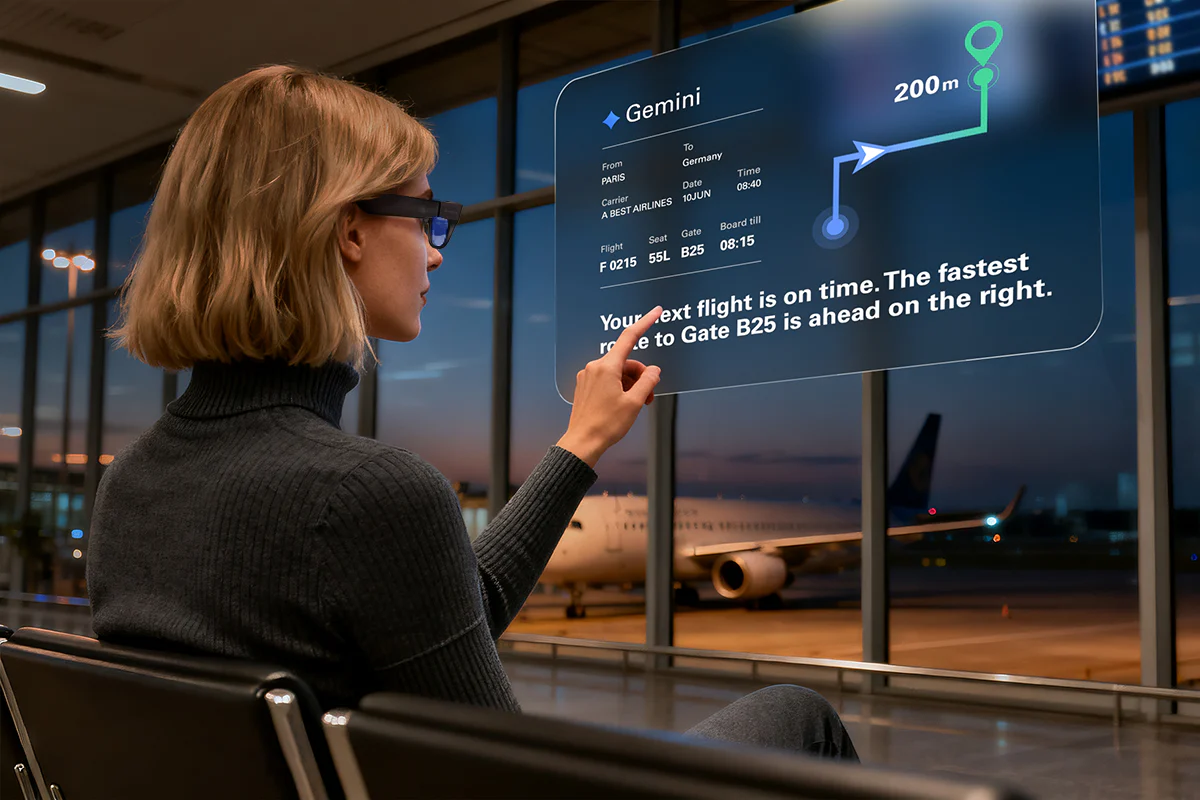
How AR Glasses Save Your Neck from “Smartphone Slump”
Many people spend hours each day looking down at smartphones. That forward tilt can raise the estimated load on your neck from about 10–12 pounds (your head’s approximate weight) to around 60 pounds at extreme angles. Physical therapists often describe the pattern as “tech neck” (and sometimes informally as “smartphone slump”)—and it’s increasingly common among remote workers and students.
While posture apps and laptop stands can offer partial fixes, a new category of wearable tech aims to address one big driver of the problem: keeping what you’re viewing closer to eye level without adding desk hardware. Smart glasses like the recently launched RayNeo Air 4 Pro are one emerging option for digital work and entertainment.
The Hidden Cost of Looking Down
Your cervical spine evolved to hold your head upright, not bent at 45 degrees. Research published in Surgical Technology International is often cited for showing that as your head tilts forward, the estimated effective load on the neck rises sharply with angle. At around 60 degrees—a posture commonly seen during texting for many users—your neck may bear a load comparable to multiple heavy objects stacked on your shoulders.
According to a 2024 study published in Cureus by researchers at King Abdulaziz University, 64.6% of 421 smartphone users reported neck pain. Among college students specifically, separate research published in PLOS ONE found the rate can be as high as 72.55%.
These are cross-sectional findings (useful for spotting associations), not proof that phones alone “cause” pain in every individual. The problem can compound for remote workers spending 8+ hours cycling between laptops and phones, especially when viewing and input habits keep pulling the head and shoulders out of neutral alignment.
Why Traditional Fixes Fall Short
Solving “tech neck” seems straightforward: raise your screen, strengthen your posture. But conventional solutions often assume you’re at a fixed desk. Modern work doesn’t always cooperate with stationary setups.
Laptop Stands Miss the Point
Portable stands elevate screens but require separate keyboards and mice. You trade neck strain for cluttered bags and reduced mobility. More critically, they fail on planes, trains, or park benches—anywhere space is limited or surface areas are cramped.
Posture Reminders Get Ignored
Apps buzz every 20 minutes to straighten up. Great in theory. In practice, you dismiss the notification mid-email and forget within seconds. Behavioral nudges can help, but they can’t fully override a common design reality: many screens (and many viewing habits) naturally end up below eye level, encouraging a downward gaze.
The Wearable Alternative
Enter wearable displays. By placing a screen in your line of sight, they can reduce how often you need to look down for viewing. A 2021 study published in Surgical Endoscopy found surgeons using AR glasses reported lower workload scores and showed improved posture risk scores compared to traditional monitors. NASA-TLX workload scores dropped from 82.7 to 66.4, while REBA posture assessments improved from 8 to 3.6.
The study also reported lower muscle-activity measures (via EMG), rather than a blanket “40% less muscle fatigue.” Devices like RayNeo Air 4 Pro have helped bring interest in this kind of display approach into consumer markets, though results in everyday work may vary by task, setup, and user.
How Smart Glasses Change the Game
Smart glasses work by positioning virtual displays at eye level, whether you’re standing, sitting, or reclining. The effect: your head can stay closer to neutral while consuming content, coding, or gaming. (You may still look down for input—keyboard, phone, or controller—but the viewing screen itself can remain higher.)
The Ergonomic Advantage
Traditional monitors sit on desks; tablets rest in laps. Smart Glasses travel with your gaze through spatial freedom. This mobility means you can maintain better viewing posture across environments without constant readjustment. Early task-based studies and hands-on testing suggest some users experience less neck flexion when viewing through wearable displays versus tablets or handhelds—but outcomes depend on fit, brightness, software, and how you handle input.
Real-World Comfort
Modern smart glasses weigh under 80 grams—far lighter than most VR headsets and many mixed-reality headsets. The RayNeo Air 4 Pro maintains this lightweight design with adjustable nose pads and a manufacturer-stated 46.7:53.3 weight distribution intended to reduce pressure points during extended wear sessions.
Unlike VR headsets that isolate you completely, AR glasses maintain peripheral awareness for multitasking safely in real environments (though perceived comfort still varies widely across face shapes and use duration).
| Viewing Device | Typical Neck Angle | Portability | Fatigue Risk |
| Smartphone | 45-60° forward | High | High |
| Laptop | 15-30° forward | Medium | Medium |
| Smart Glasses | Often closer to 0-10° (neutral) | High | Potentially lower for viewing tasks |
The 2026 Breakthrough: HDR10 Vision
Not all AR glasses deliver equal visual experiences. At CES 2026, the industry saw a major marketing push around HDR in this category, including RayNeo’s claim of the first HDR10-enabled consumer AR glasses—a step aimed at improving contrast and highlight detail in wearable displays.
Why HDR10 Matters for Daily Use
Standard displays show limited dynamic range, washing out shadows and highlights in content. HDR10 can expand that range when the content, device pipeline, and brightness are sufficient, helping preserve detail in very dark and very bright areas. For content creators editing photos or designers reviewing color palettes, wide color coverage (e.g., “up to 98% DCI-P3” as claimed by some manufacturers) does not automatically mean professional-grade accuracy without calibration—but it can be a meaningful ingredient for richer visuals.
RayNeo’s Implementation
The RayNeo Air 4 Pro pairs HDR10 with 1080p OLED panels at 120Hz refresh rates for smooth motion (as described in its launch materials and CES hands-on coverage). Combined with Bang & Olufsen-tuned audio, the experience can feel more immersive than earlier generations. Tom’s Guide editors noted the “stunning” visual depth when testing the device at CES 2026 demonstrations (a hands-on impression, not a lab calibration report).
Crucially, the Air 4 Pro aims to maintain this quality while keeping weight under 80 grams and improving balance for comfort. RayNeo also describes fit customization features (such as multi-level adjustment) intended to accommodate different users, but real-world comfort depends on individual head/face geometry and session length. The RayNeo Air 4 Pro features 9-level adjustment for customized fit across different head sizes.
Practical Use Cases
Theory aside, do smart glasses actually replace traditional screens for everyday tasks? For many people, they work best as a portable “big screen” for viewing, with productivity benefits depending on software support and workflow. Here’s where they can excel beyond theoretical advantages.
Remote Work Without Desk Dependency
Working in a coffee shop is easier without hauling monitors or complex gear. AR glasses project a large virtual display wherever you have power and a compatible device. RayNeo Air 4 Pro is often described as a ~135–201-inch “equivalent screen,” keeping content nearer eye level whether sitting, standing, or reclining. Multi-screen setups usually need specific apps or OS support today.
This flexibility particularly benefits digital nomads and hybrid workers cycling between locations. Some reviewers report reduced neck discomfort during mobile sessions after an adjustment period, but experiences vary and shouldn’t be treated as guaranteed medical outcomes.
Gaming on Portable Consoles
Handheld devices like Steam Deck pair naturally with AR glasses, transforming tiny 7-inch screens into immersive “large screen” equivalents without sacrificing portability. The RayNeo Air 4 Pro’s 120Hz refresh rate can help fast-paced gaming feel smoother when the source device and connection support the target refresh rate, while you keep the compact form factor and may reduce sustained downward viewing during long handheld sessions.
Best Scenarios for Smart Glasses:
- Air Travel – Private cinema with less need to look down at a small screen
- Multi-Monitor Workflows – Code review, data analysis, video editing (best with compatible multi-window software)
- Bed Computing – Browsing with the viewing display positioned higher than a tablet in your lap

Considerations Before Buying
Smart glasses aren’t panaceas for all ergonomic challenges. Eye strain remains possible during extended use without breaks; follow the 20-20-20 rule. Every 20 minutes, look at something 20 feet away for 20 seconds to rest eye muscles naturally.
Battery life varies across models—most current smart glasses offer several hours of continuous use. Premium models like RayNeo Air 4 Pro advertise optimizations for longer sessions, but real battery life depends on brightness, refresh rate, and usage patterns. That’s adequate for work sessions but may require midday charges for all-day wear patterns. Social acceptance is improving but still situational depending on your environment and comfort level.
Prices range from $100-700, positioning them as investments rather than impulse purchases. Treat any ergonomic benefit as “possible” rather than “promised,” and weigh it against your needs, return policies, and comfort after extended wear. Complement smart glasses with core habits: regular stretching, proper seating, and reduced total screen time for comprehensive wellness.
The Verdict
The smartphone slump is fixable, but remedies must fit today’s mobile work habits. AR glasses can beat stationary ergonomic gear by keeping screens nearer eye level anywhere, without added bulk. The tech has moved from experimental to practical, and 2026 options like the RayNeo Air 4 Pro add HDR and lighter builds that may boost comfort for some users—while still requiring good overall ergonomic practices.
If neck strain disrupts your workday or tablet use hurts after 30 minutes, this category deserves serious consideration as one tool in an ergonomic toolkit. Early adopters and some reviewers report relief, particularly those who work from varied locations or travel frequently for business (individual results vary).
Start with manufacturer demos or return-friendly retailers to test fit and comfort. Your neck—and your long-term health—might thank you for making the switch to smart glasses technology if the device genuinely changes your viewing habits and fits your body well.
Disclaimer
The information provided in this article, “How AR Glasses Save Your Neck from ‘Smartphone Slump’,” is intended for general informational and educational purposes only. It does not constitute medical, ergonomic, or professional health advice. Readers should not rely on this content as a substitute for consultation with qualified healthcare professionals, physical therapists, or ergonomics specialists.
Statistics, research references, and study findings cited in this article are based on publicly available studies and reports at the time of writing. While efforts have been made to ensure accuracy, interpretations of research results may vary, and individual outcomes may differ depending on personal health conditions, posture habits, work environments, and device usage patterns.